Reports & Data Exports
What reports, PDFs, and CSV exports a market admin can run themselves — no support ticket required.
Scope note. Everything on this page is self-serve from the admin Market Manager panel for managers, admins, and superusers — no support ticket needed.
What was sold per grower?
Use the Grower Sales History page: /orders/harvest_history/0 (also reachable from the Market Manager panel).
Pick a grower from the selector and you'll see their Product Summary —
each product with Quantity Sold, unit, number of orders, and Total Revenue — plus their order and quantity totals. Download it for a
single grower as CSV at /orders/harvest_history/{growerId}/csv.
If what you really need is how much to pay each grower (their payout
totals across the market, not a product-by-product breakdown), use Grower checks — /orders/checks.csv — which lists each
grower, who to make the check out to, and their check total. See CSV exports below for both.
In-app insights dashboard
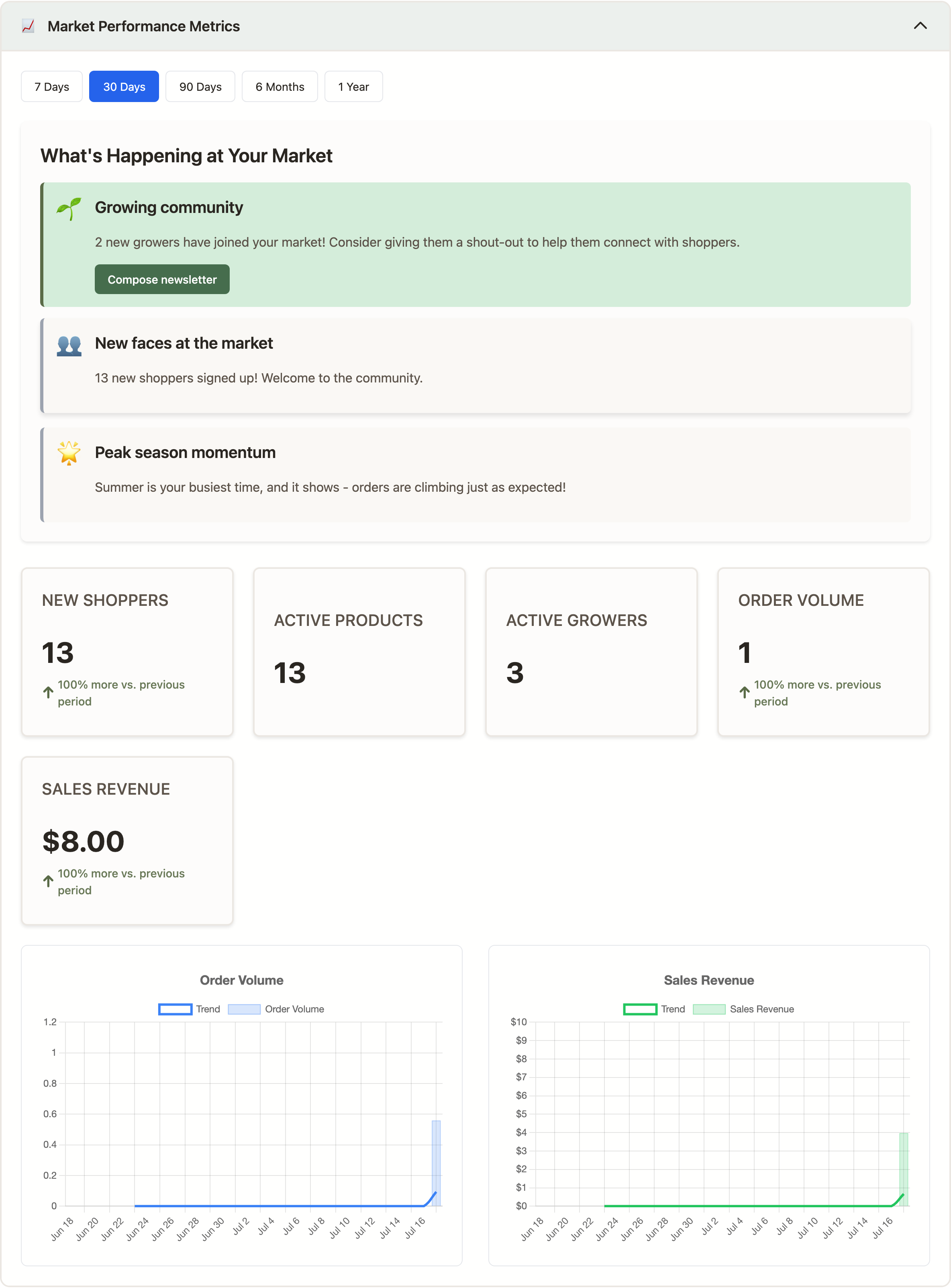
The admin Market Manager panel includes a metrics and insights area that renders live charts and auto-generated observations for a time range you pick. It covers:
- Orders and revenue over time — daily totals for the selected range, with a comparison to the previous period.
- Shopper activity — new signups, returning vs. first-time shoppers, total active customers.
- Product and grower activity — active products and growers over time, additions and removals, average products per grower.
- Fulfillment — completion rate, average fulfillment time, pending orders, and orders that have been pending too long.
- Smart insights — short, plain-English observations, alerts, and nudges (e.g. "send a newsletter, it's been a while"; "orders up 18% vs. last period"). These are generated from the metrics above, so they move with your data.
The dashboard is the intended starting point — go there first, then drop into a CSV if you need row-level detail.
PDF reports
Run from the PDF Reports section of the Market Manager panel. All are live-generated; there's no queue or stored history, so re-run when you need a fresh copy.
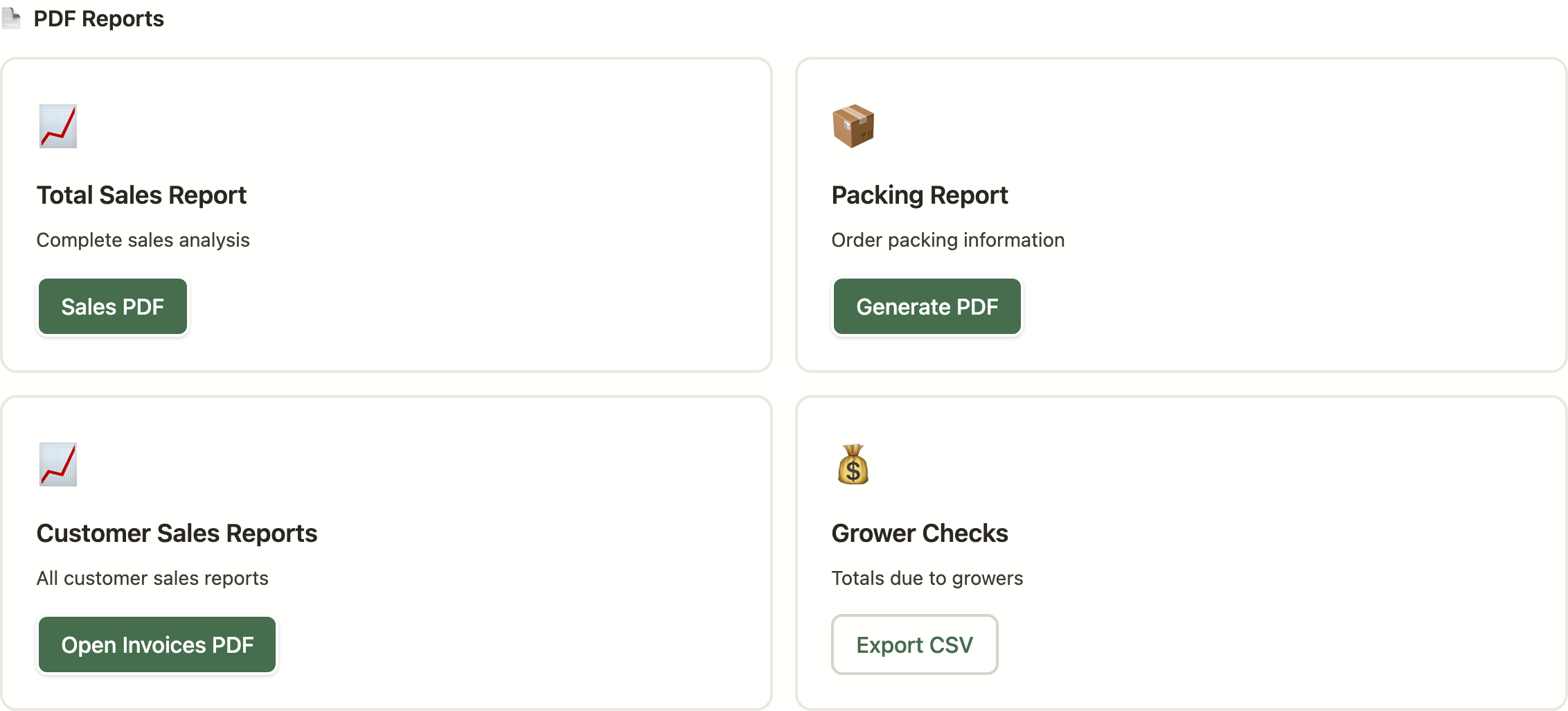
- Total sales —
/orders/sales. Market-wide sales analysis. - Sales by pickup location —
/orders/sales_by_location. Only shown for markets with pickup locations enabled. - Packing report —
/orders/packing_report. What needs to be packed and for whom. - Open invoices —
/orders/open_invoices. Unpaid customer orders. - Orders by pickup location —
/orders/orders_by_location. Summaries by location, for markets with pickup locations enabled. - Per-order invoice —
/api/orders/{orderId}/invoice. Linked as "Download Receipt (PDF)" from the order detail page. - Harvest labels —
/orders/harvest/{cycleId}/labels. Printable labels for a harvest cycle.
CSV exports
Most CSV buttons live in the Market Manager panel under Data Exports, Financial Management, and related sections. All stream as-you-request.
- Products —
/products.csv(active) or/products.csv?all=true(includes inactive). The market's product catalog. - Users —
/users/export.csv. Shoppers, growers, and staff for your market. - Orders —
/orders/export.csv. Accepts?range=YYYYfor a single year or?range=allfor full history; defaults to the current year when no range is supplied. - Order items (market-wide) —
/orders/export-items.csv. Line-item-level detail. Useful for sales-by-product slicing. - Order items by year —
/order_items/export.csv?condition=YYYY(or?condition=all). Line-item detail scoped to a specific year. - Grower checks —
/orders/checks.csv. What each grower is owed for a period, including commission math — the source of truth for cutting payouts. - Harvest history (per grower) —
/orders/harvest_history/{growerId}/csv. A single grower's sales history. Also reachable from the "Grower Sales History" page at/orders/harvest_history/0. - Impersonation audit —
/admin/impersonation-audit/export.csv. Superuser-only. The full audit log of admin-as-user sessions with 15 fields per row (actor, target, start/end, IP, user agent, reason, blocked-action count, etc.). See the Acting as a Customer guide.
Practical tips
- Year-end close. Pull
/orders/export.csv?range=YYYYand/order_items/export.csv?condition=YYYYat the end of each season and archive them. Regenerating years later works, but relying on it is fragile. - Grower payouts.
/orders/checks.csvis the right source for cutting checks or issuing ACH payments — it has the commission math applied. - 1099 prep. Combine
/orders/checks.csvacross a calendar year with/orders/harvest_history/{growerId}/csvfor per-grower backup. - Dashboard date range. The insights dashboard caps at a 365-day range; pick the narrowest range that answers your question for faster results and more useful comparisons.
- No "email me when ready" flow. Every export runs synchronously. On very large markets, use a narrow date range rather than pulling all history in one go.
What's intentionally not here
- No custom-report builder. The list above is the list — if a report you'd expect isn't here, it doesn't exist yet.
- No scheduled emailed reports. You have to re-run exports yourself. If this would be useful for you, say so via support.
- No cross-market roll-up. Each market's data is scoped to that market. Superusers who administer multiple markets run exports per market.
- No stored export history. Once you close the download, there's no record of what you pulled — archive important exports somewhere you control.